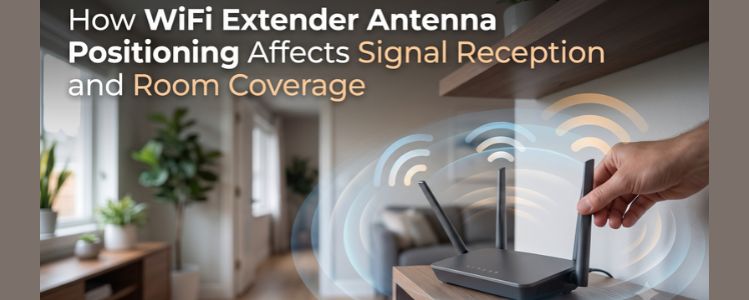
WiFi extender antenna positioning can significantly influence how wireless signals travel through a home and reach connected devices in different rooms. Even when an extender is configured correctly, poor antenna orientation or placement may result in weak reception, inconsistent speeds, and dead zones. Understanding how antenna positioning works can help users improve wireless coverage without immediately purchasing additional networking equipment. During Netgear WiFi Extender Setup, choosing the right location and adjusting the antenna orientation can help create a more stable connection for smartphones, laptops, smart TVs, and other wireless devices.
Understanding WiFi Extender Antenna Positioning
WiFi antennas transmit and receive radio signals between the extender, router, and connected client devices. Their orientation influences the direction and distribution of wireless energy, depending on the antenna design and frequency band.
Many external antennas used in home networking equipment are designed to distribute signals in a broad pattern around the antenna rather than concentrating them directly toward the antenna tip. This means positioning an antenna horizontally or vertically can change how effectively devices located on different floors or in different rooms receive the signal.
During Netgear WiFi Extender Setup, users should consider both the extender’s location and antenna orientation because these factors work together to influence coverage.
How Antenna Orientation Affects Signal Reception
Antenna orientation can influence signal reception when connected devices have different physical positions. For example, a vertically positioned antenna may provide suitable coverage across the same floor, while a horizontal orientation may sometimes improve communication with devices located above or below the extender.
However, the best antenna arrangement depends on the extender model, antenna construction, router orientation, and surrounding environment. Some extenders have internal antennas that cannot be manually adjusted, while others feature external antennas with different positioning options.
Users should experiment with small antenna adjustments rather than assuming a particular orientation will always produce the strongest signal. Testing connectivity in the rooms where WiFi is frequently used can help determine which arrangement works best.
Choosing the Right Extender Location
Antenna adjustment alone cannot compensate for an extender placed in an area with very weak router coverage. The extender needs to receive a usable wireless signal before it can retransmit it to nearby devices.
A practical location is usually between the main router and the area where coverage becomes weak, provided the extender still receives a stable connection from the router. Placing it too far away may result in poor performance even if its antennas are correctly positioned.
During Netgear WiFi Extender Setup, users should avoid placing the extender behind large furniture, inside cabinets, near thick concrete walls, or beside equipment that may create radio interference. An open location at a moderate height can often provide better signal distribution.
Improving Room-to-Room Wireless Coverage
Different rooms create different wireless challenges. Walls, doors, metal surfaces, mirrors, appliances, and building materials can weaken or reflect radio signals. As a result, an extender may perform well in one room but struggle to reach another.
Antenna positioning can help adjust the coverage pattern, but room layout remains an important consideration. For multi-room coverage, users should test the connection in areas such as bedrooms, home offices, hallways, and living rooms rather than relying only on signal strength near the extender.
When accessing the extender’s management interface through mywifiext.net, users can review available device information and supported wireless settings, depending on the model. Checking connection quality in different rooms can help identify whether the problem relates to extender placement, antenna orientation, or the wireless backhaul connection.
Common Antenna Positioning Mistakes
Several placement mistakes can limit the effectiveness of a WiFi extender, even when the setup process is completed successfully.
- Positioning the extender in a room where the router signal is already extremely weak.
- Pointing every external antenna in the same direction without testing alternative orientations.
- Placing the extender near metal objects, thick walls, or electronic equipment.
- Keeping the extender on the floor behind furniture or inside enclosed spaces.
- Making several positioning changes at once without checking the results.
Correcting these issues gradually helps users understand which adjustment actually improves wireless coverage.
Testing Signal Improvements After Setup
After adjusting the extender’s antennas, users should test WiFi performance in the rooms where connectivity problems occur. A smartphone or laptop can be used to check signal strength, loading speed, video streaming performance, and connection stability.
It is helpful to test one location at a time while keeping the router and extender settings unchanged. If a room experiences fewer interruptions or improved responsiveness after an antenna adjustment, the new position may be more suitable.
Users can also revisit mywifiext.net to check supported management options and verify that the extender remains connected to the main router. If the connection is still unstable, moving the extender slightly or testing another antenna arrangement may help.
Best Practices for Maintaining Reliable Coverage
Maintaining good wireless coverage requires more than initial antenna positioning. Users should keep extender firmware updated when updates are available, avoid unnecessary changes to wireless settings, and periodically review device connectivity.
The extender should also have adequate ventilation and be placed where its wireless signal can travel freely. If the home has multiple floors or unusually thick walls, additional network planning may be necessary to achieve consistent coverage.
Final Thoughts
WiFi extender antenna positioning can influence signal reception, wireless stability, and room-to-room coverage. Proper orientation, strategic placement, and careful testing can help users reduce weak signal areas and improve their home networking experience. By combining thoughtful antenna adjustments with correct Netgear WiFi Extender Setup and management access through mywifiext.net, users can make better use of their existing extender and achieve more dependable wireless connectivity throughout their homes.
Frequently Asked Questions
1. Does WiFi extender antenna direction affect signal strength?
Yes. Antenna orientation can influence how wireless signals are distributed and received, depending on the antenna design and device position.
2. Where should I place my WiFi extender?
Place it in an area where it receives a reliable signal from the main router while remaining close enough to the rooms that need better coverage.
3. Should extender antennas always point vertically?
Not necessarily. Vertical positioning may work well for same-floor coverage, but alternative orientations may perform better depending on the environment and device locations.
4. Can I access my extender settings through mywifiext.net?
Many compatible Netgear extenders use mywifiext.net as a local management address, provided your device is connected to the extender’s network.
5. Why is my WiFi still weak after extender setup?
Poor placement, interference, thick walls, incorrect antenna orientation, or a weak connection between the router and extender may affect performance